
Umami
Analytics · 21 Oct 2026
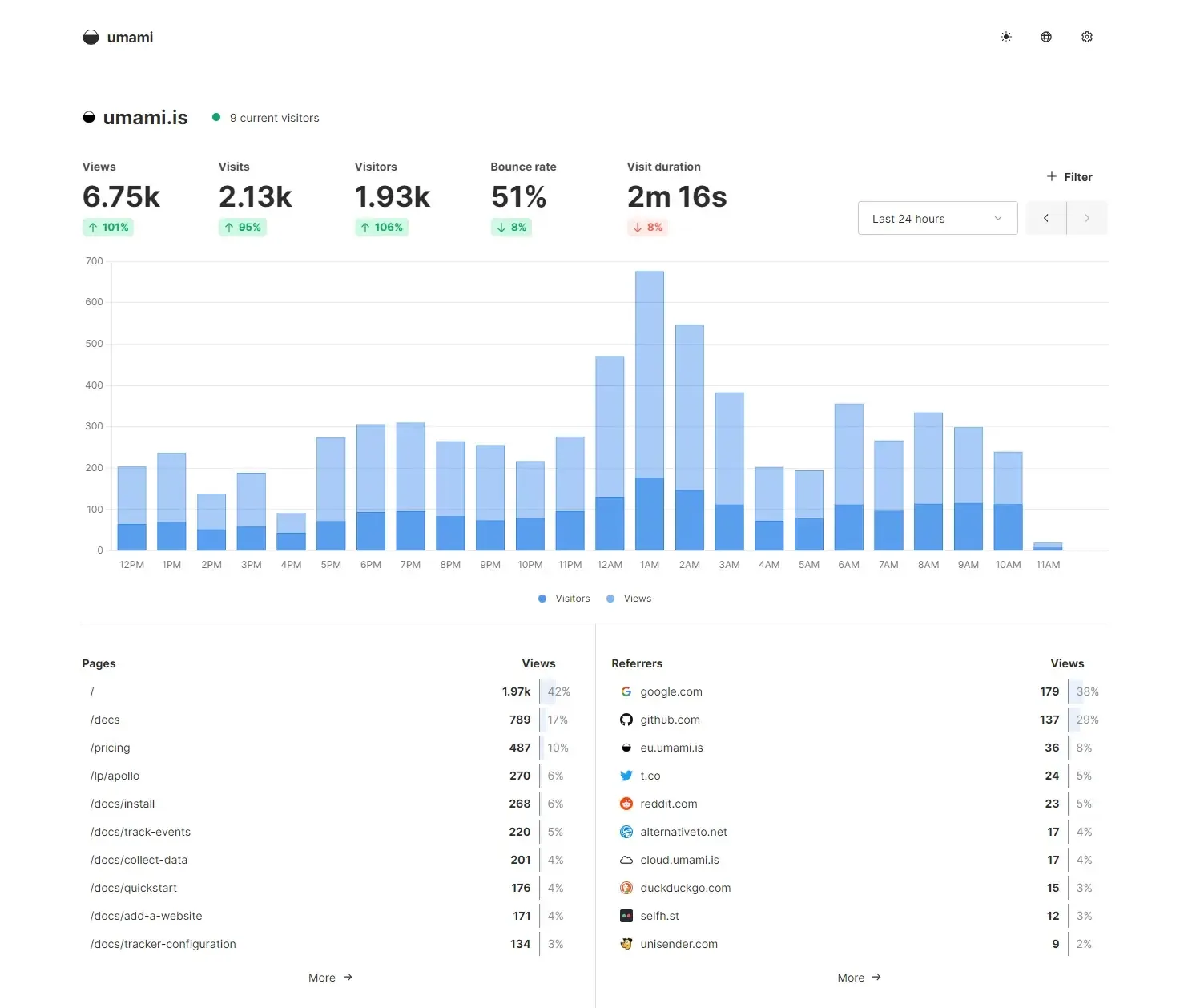
Umami is an open-source tool that shows how people find and use your website: visitors, where they come from and what they do, without cookies. You can run it yourself for free or pay for the hosted version.
Is it right for you?
Website and product owners who want privacy-friendly visitor and conversion statistics without cookies, and who can either run a small server or pay for the hosted version.
Replaces some features, but not everything.
Look elsewhere if you need:
- You need email reports or the streaming API on your own server: the project says these are only in its paid cloud version.
- You cannot look after a server: running it yourself means keeping Node.js or Docker and a PostgreSQL database going.
What you can do with it
- See pageviews, visitors, bounce rate and average visit time on one dashboard.
- Track actions that matter to you, such as button clicks, form submissions, signups and downloads.
- Build funnels to see where visitors drop off before signing up or buying.
- See whether visitors come back, with retention reports.
- Works without cookies, so most websites can drop the cookie banner.
- Watch session replays and heatmaps of how visitors use your site, also when you run it yourself.
Running cost
Price estimation
$12.00/month
About $12.00 a month on average, in USD. Over 1 year (12 months) that is $144.
- Upfront, paid once
- $0
- Fixed monthly costs
- $12 / month
- Usage-based (API) costs
- none recorded
Software licence: The project says the software is open source and free to host yourself.
What this assumes
Typical use. A rented cloud server (DigitalOcean): The software runs on one small rented server (a DigitalOcean Basic Droplet). Light use fits the smallest size; heavier use needs more memory.
- Cloud server with 2 GB of memory$12.00 / month
- Prices are DigitalOcean's listed monthly prices for Basic Droplets. Other providers cost more or less.
- Light use = 1 GB of memory, typical use = 2 GB, heavy use = 4 GB. Check the project's own memory requirement first.
- It does not include a domain name, backups, or the time you spend looking after the server.
An estimate built from these assumptions, not a quote.
Getting started
Choose how much technical work suits you. Easy takes you to the project’s own ready-made option; the other levels show what you need first and a prompt you can give an AI coding agent.
Ways to install it
- Running
- Hosted: Umami Cloud, run by the project
- Where
- On the provider’s servers
- API usage
- None chosen
Starts Umami and its own database together with one command.
Requirements
- Docker with Docker Compose (the free tool that runs apps in containers) (needed) — a tool that starts several containers together from one file.
What you take on
- Change the default login (username admin, password umami) right after you first sign in.
- You are responsible for updates and backups.
Runs the ready-made Umami image; you provide and connect the database yourself.
Requirements
- Docker (the free tool that runs apps in containers) (needed) — a tool that runs apps in sealed boxes (containers), so they behave the same on any computer.
- A PostgreSQL database, version 12.14 or newer (needed) — a database: the place where the app keeps its data. You install it yourself or rent one.
What you take on
- You set up and look after the database yourself.
- Change the default login (username admin, password umami) right after you first sign in.
Download the code and build it yourself on a server.
Requirements
- Node.js version 18.18 or newer (the program that runs the app) (needed) — a free program that runs apps written in JavaScript.
- A PostgreSQL database, version 12.14 or newer (needed) — a database: the place where the app keeps its data. You install it yourself or rent one.
- PM2 to restart the app automatically (recommended) — a helper that keeps the app running and restarts it if it stops.
What you take on
- You build, start and update it yourself, and need to point your web server at it.
The project runs it for you and handles updates and maintenance. Each plan includes a number of events a month (each page view counts as one); paid plans charge a small amount for each extra event. Plans: Hobby: $0 / month; Pro: $20 / month; Business: $200 / month.
No way to install it has been reviewed yet.
No way to install it yourself has been reviewed yet.